Managing & configuring Anitra tags
Device Status and Discard Flow
Device Status attribute is automatically assigned based on device usage history (including its past and current deployments)
- E.g. the tags are automatically moved from Pool to Deployed statuses by creating Tracking (+Animal) object. Check the detailed guide here.
- pool-new : devices never deployed previously
- pool-used: devices returned to the device pool after deployment
- deployed-active: deployed on animals, known to have delivered fresh data within the last 3 days
- deployed-delayed: deployed on animals, known to have delivered fresh data within the last 4-7 days
- deployed-missing: last data older than 7 days
- Note Devices status applies to all the devices types including data imported from Movebank of from Import flow.
Device/SIM Discard Flow (for Anitra devices)
- Device/SIM closing(discard/termination) workflow is available for Anitra device owners so the SIM can be closed and the device removed from (data fees) billing
- Users are supposed to mark the devices they wish to be terminated - to be used for devices not expected to deliver new data anymore.
- Marking the device triggers a process that irreversibly terminates the device SIM with our network provider
- SIM is ultimately terminated by the end of the month following after marking the device to be discarded (e.g for a device marked to be discarded on the 13th of February the SIM will be active (and data fees charged till the end of the March))
- Note you can still stop the discard process till the SIM is irreversibly terminated by the network operator by contacting us directly till the end of the following month (i.e. for the example above we can manually withdraw the SIM closing request till the 31st of March)
- The check for marking devices to be terminated is available at the bottom part of the device profile.
Device Discard/Archive flow for non-Anitra devices
- For non-Anitra devices (= devices originating from import or integration - i.e. Movebank, Ornitela, Ecotone, Manual Import) there is also a Discard/Archive mark present in the Device profile
- For those, the flag only allows marking those that are not active anymore (for the sake of filtering and correct visibility in the maps)
- A recommendable practice is to mark the tags that are considered lost or those terminated in the original control panel
- Note in this case the flag is fully reversible (the user can change it there and back without any restriction)
Device Status Extended/Long
- Extended/long devices status is summarizing all the status information related.
- It is a combined field of Device status, history summary and Discard status.
- It is displayed in the Device profile, Device list, and Customer balance overview
Configuration /programming of devices
For complete detail of all the configuration options see the configuration guide.
Geofences - places a device watches for - have their own geofencing guide.
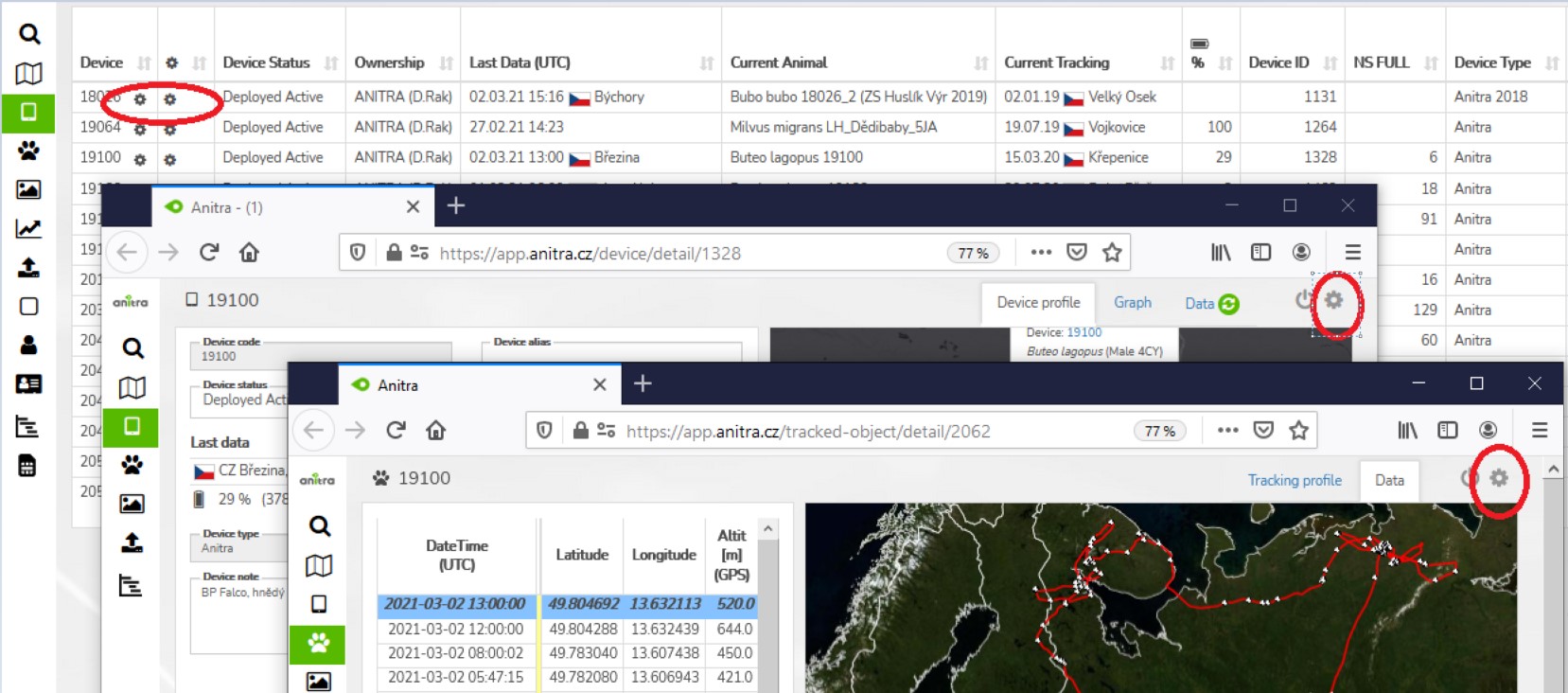
Users with admin rights can access the configuration from the lists and profiles using cogwheel icons. Note the configuration functionality is available for Anitra devices only.
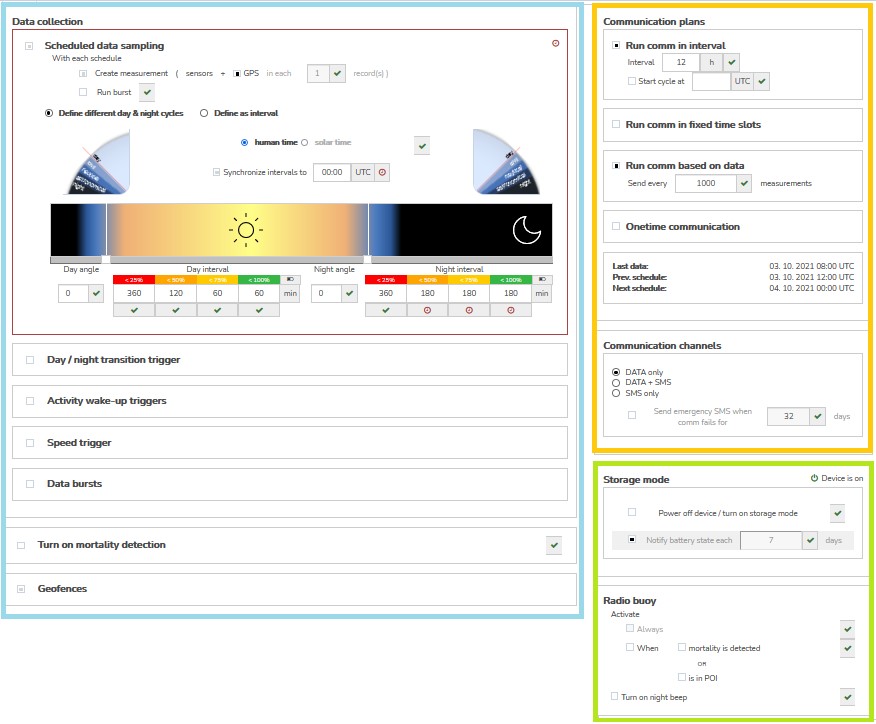
Configuration contains three main areas
- Data collection settings
- GPS/sensor sampling time schedules
- Data collection triggered by events
- Configuration of bursting behavior
- Mortality detection adjustment
- Geofencing
- Communication schedules
- Other settings
For complete detail of all the configuration options see the configuration guide.