Profiles
Most entities in Anitra carry a certain list of attributes and offer a range of functions and operations related to it. The place that accommodates all this is a detail or profile page of it.
Depending on the importance and complexity of a particular entity, the detail page might be rather simple (e.g. Person/User profile) or more structured and information-rich (e.g. Tracking/Animal profile). Most important entity pages are described here:
Device profile
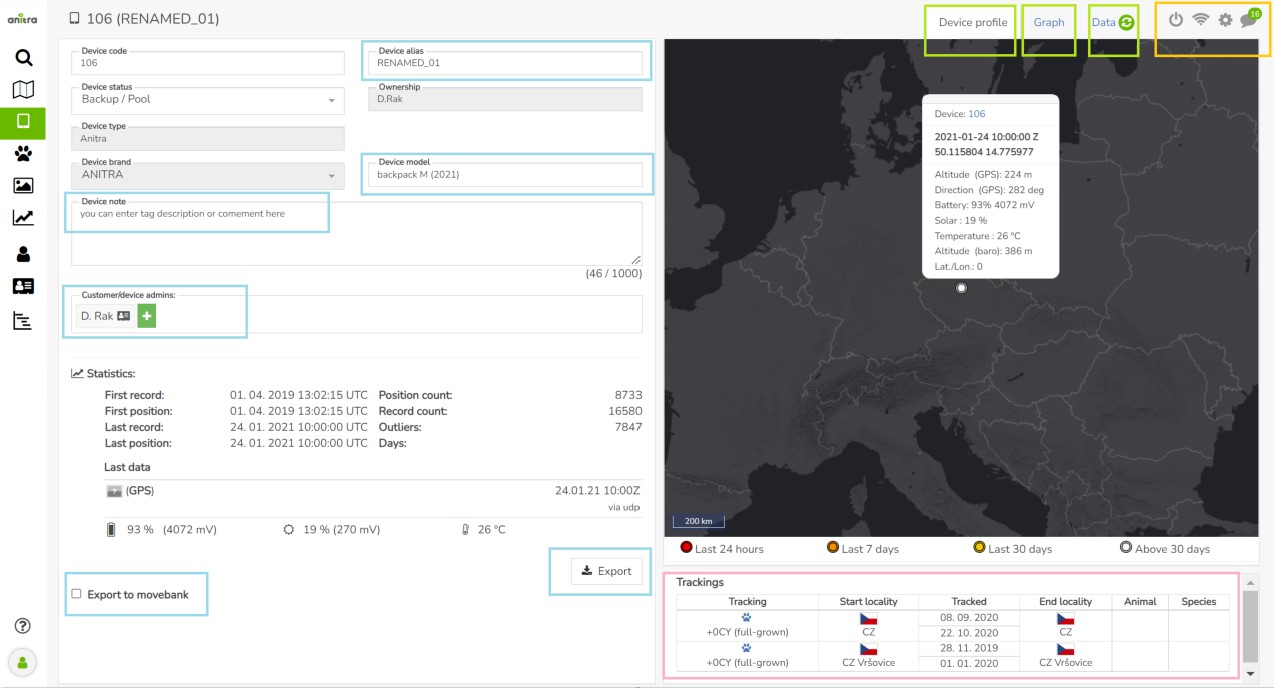
Device profile tab (tab control marked green):
- holds all the information about the device (identification, status, type, brand, model, and user description
- allows administration of the device (i.e. managing admin list, activating Movebank Datafeed, exporting device data into the file, configuring/programming tag (cogwheel icon))
- shows device activity (i.e. bits needed for monitoring: Statistics, System of warnings (mortality, missing data), the last position in the overview map, first/last geolocation, communication log (wifi icon))
- lists Trackings/Animals created on top of device data (bottom right) - more rows in situation when single tag was redeployed multiple times
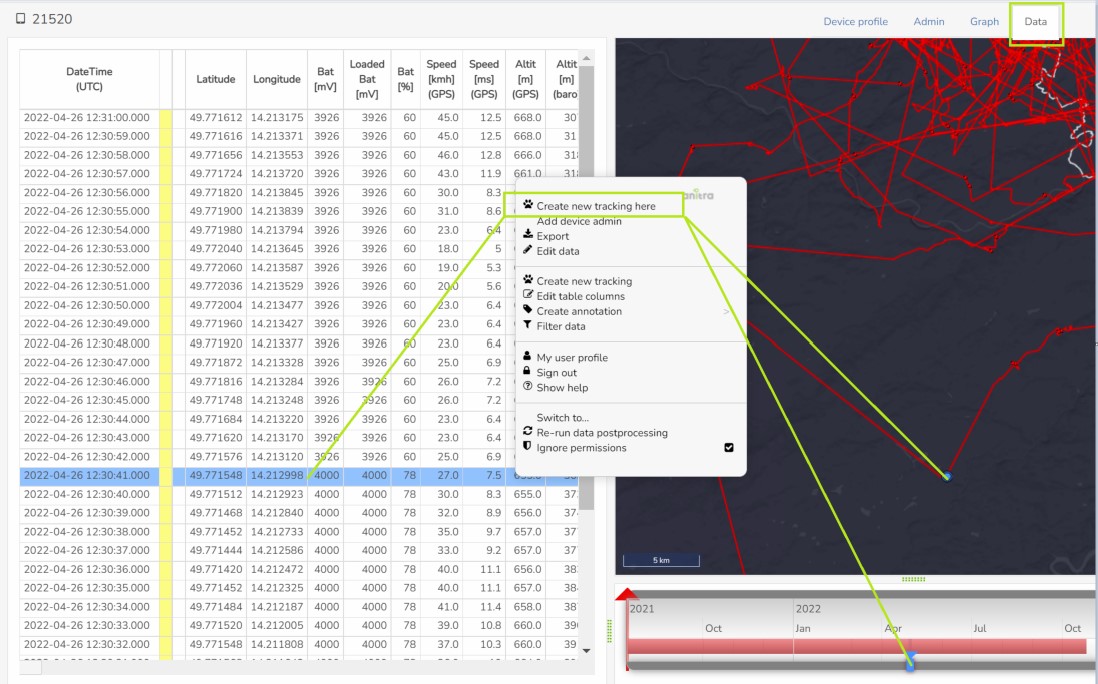
Data tab (marked green):
- data collected by the tag visualized in the table, on the map, in the timeline, and the graph
- functionality for creation of Trackings (aka Deployments) and modification of the DateTime ranges.
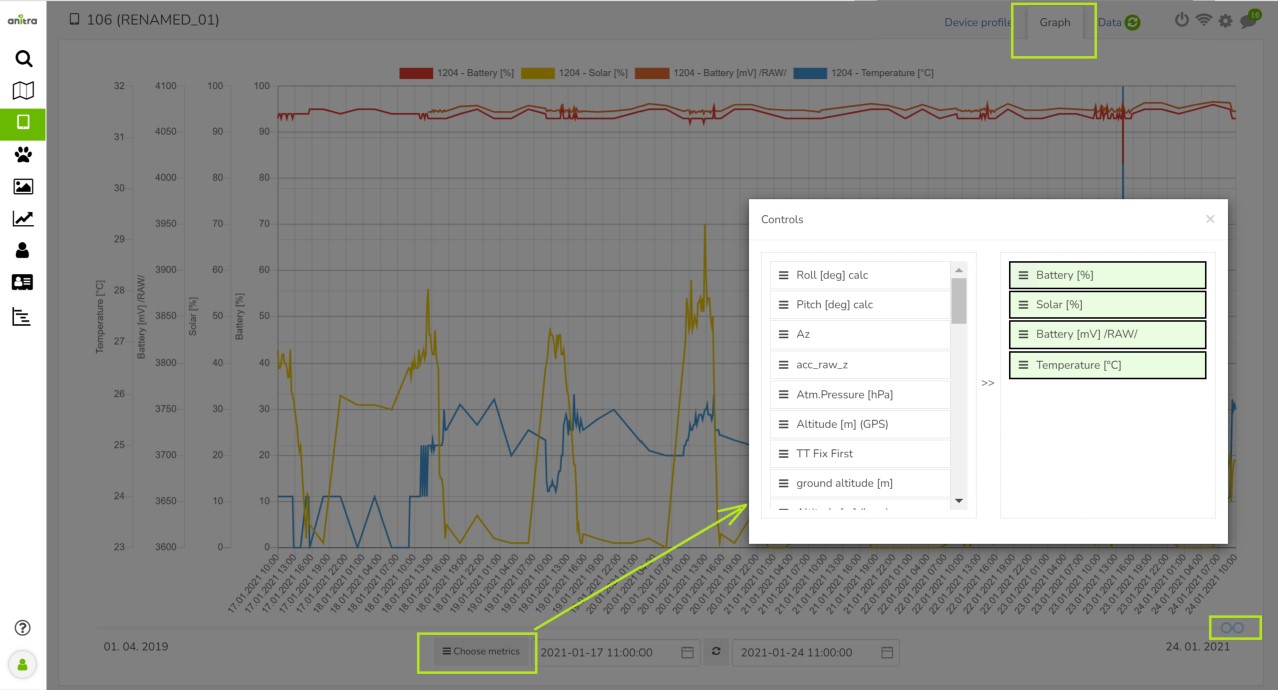
Graph tabs (marked green):
- data collected by the tag can be analysed in the graph
- wide range and flexible selection of columns for display
- More about graphs here
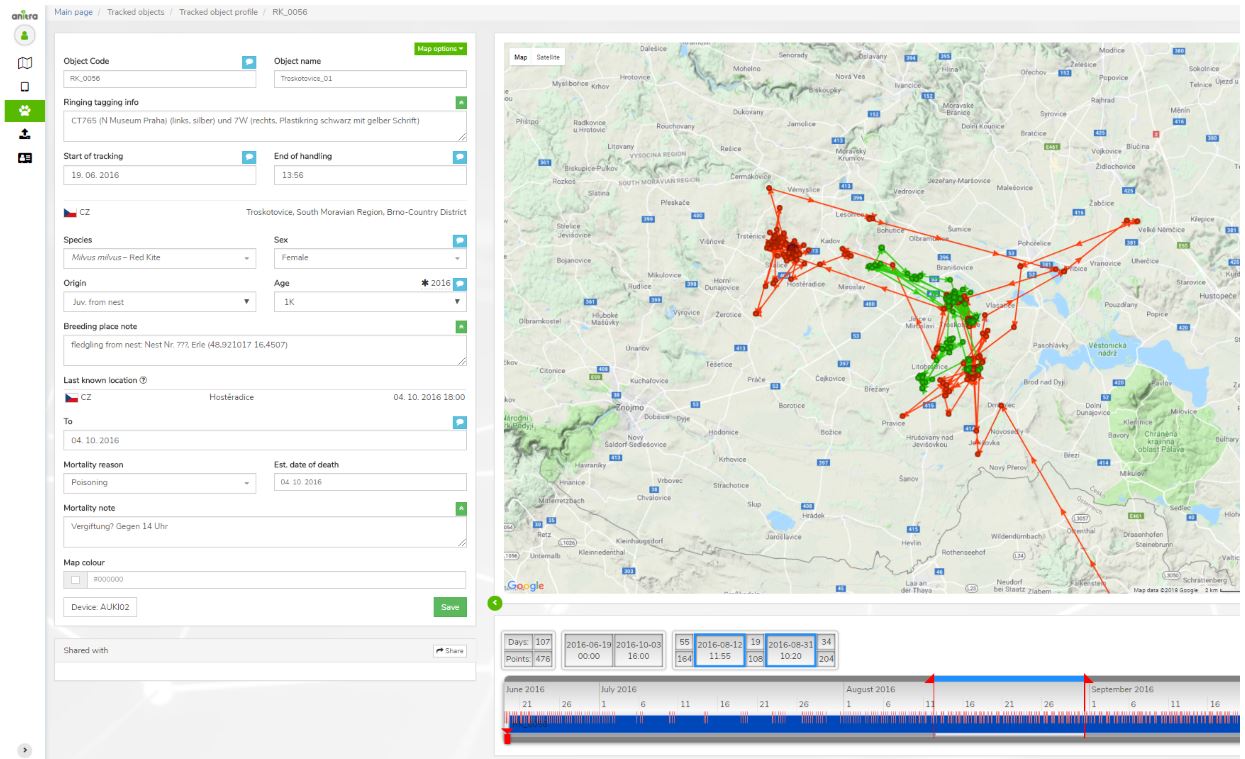
Tracking & Animal profile
- Details of tracked object (= tracking of the individual animal)
- Identification (code, name, ringing, tagging, etc.)
- Info related to particular Individual (species, sex, age, origin)
- Info related to Start of tracking (including photo and file documentation)
- Info related to End of tracking (~ mortality/device failure)
- System of warnings
- Mortality indication: red/black warning in "Last known Position" row (red = for deployed and currently tracking devices / black = tracking finished)
- Missing data last X days: red warning in "Last Device Position" row (warning active just for deployed and currently tracking devices)

- Tracked animal data visualized on the map and on the timeline
- "Share" button allows sharing Tracking to other Anitra users
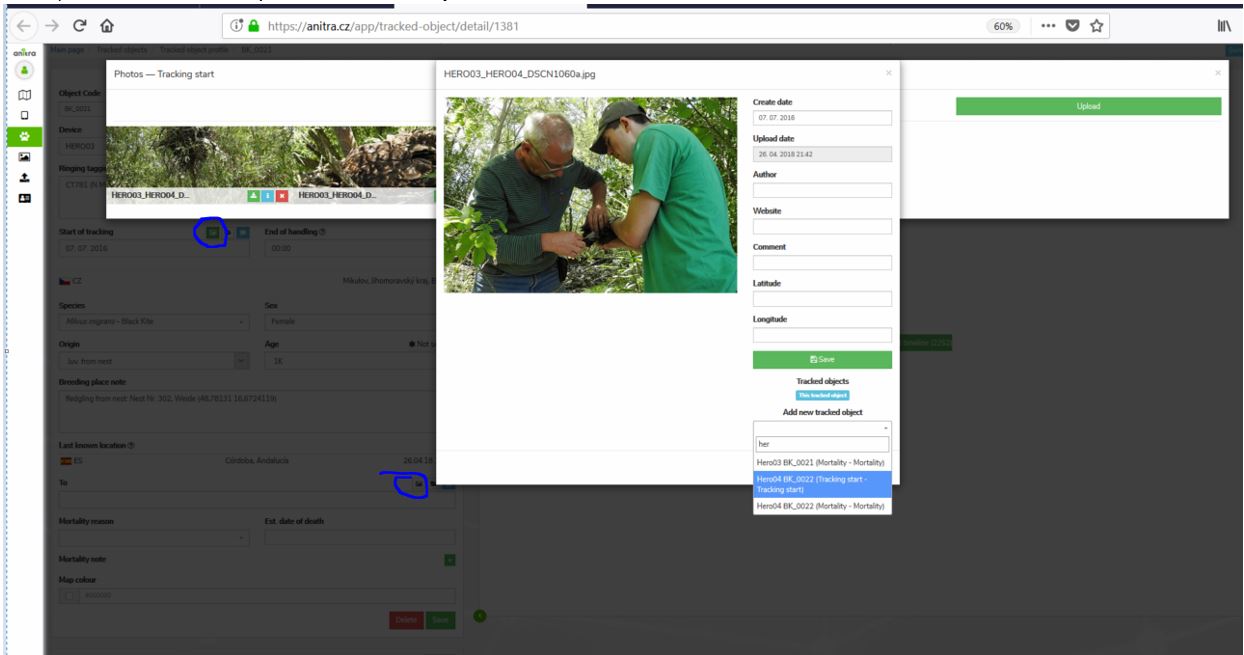
- Possibility to attach photos /documents related to
- Tracking start
- Mortality
- Same photo can be shared by various Trackings
Organisation/Customer profile
A section visible in the side menu (only) for users with Admin/Owner relations to Organisations listed in the system.
- users not having any role in any organization do not see this menu item at all
- in case the user is active in more organizations the list of these is displayed first
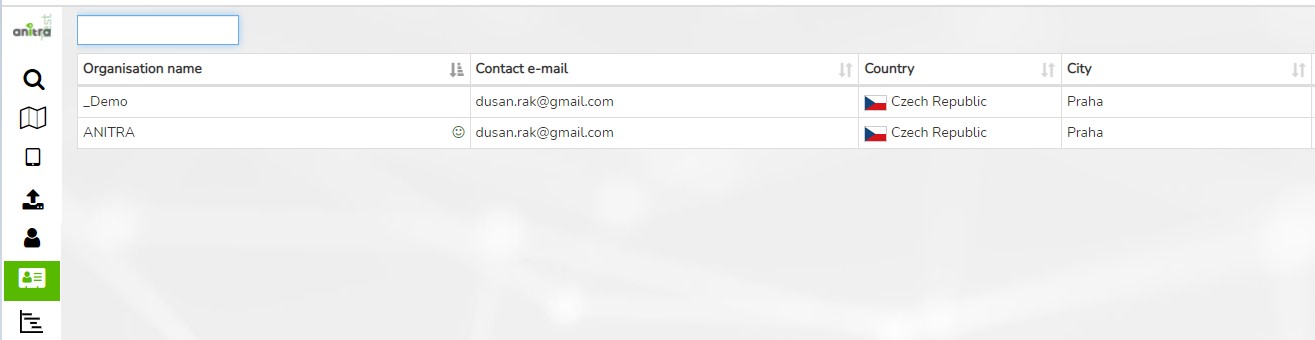
Organization details such as contacts and access roles can be edited on the organization profile.
- main customer admin (owner) is assigned
- owner can make other people admins granting them "customer admin" role.
- customer owner(admins) have full access to devices belonging to a particular customer/organization account (can export data, manage trackings and animals, etc.)
Various inbound and outbound data flows from manual data export to fully automated can be managed for organization account
- (IN) Inbound data flows (connectors for Movebank, Ornitela, and Ecotone available)
- (IN) Manual data import (see the Import functionality)
- (OUT) API data access
- (OUT) Manual data export
- (OUT) Anitra to Movebank datafeed
Note, only the legal owners of original data are allowed to configure inbound data flows!
- Any data uploaded manually or synchronized automatically to Anitra are linked to a particular legal entity (Organisation / Customer) represented by its "owner" i.e. person in charge.
- The ownership of and the responsibility for all the data remain with this legal entity. This organization's owner and admins assigned by the owner retain full control over the data related to this entity.
- Anitra works as private and secure storage and a visualization tool of these data only.
Data Management section of Customer profile is also a place to define and review customer published maps i.e. a creation wizard for maps construction.
Note the term "customer" refers to any "organization" having some kind of (active or past) commercial agreement with Anitra company
Customer balance - i.e. usage/charging summary vs. payment history is available in the Customer profile
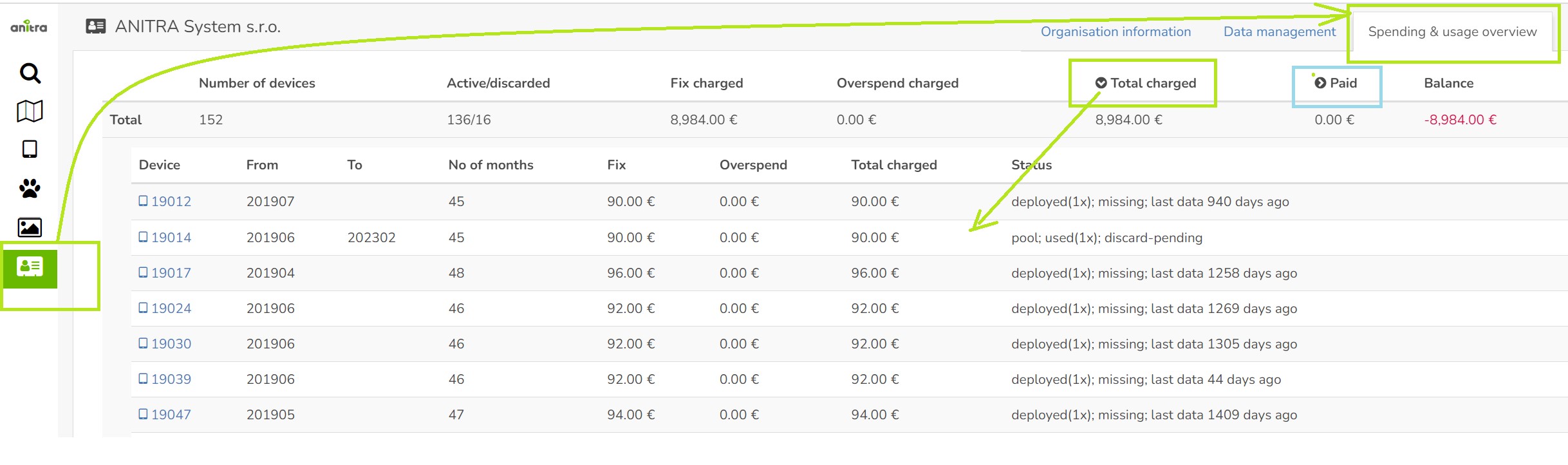
A list of the devices owned by the customer is updated and visible right before or soon after shipping devices
Fix data fee calculation is also available instantly
Overage data charges are updated according to reality after the month is over and the detailed billing summary is available from the mobile network
Payments (from invoices paid) are visible after the data fee payment is received by us